The timers can give very good control over how long the machine will run the cycles for but it can also confuse and cause issues.
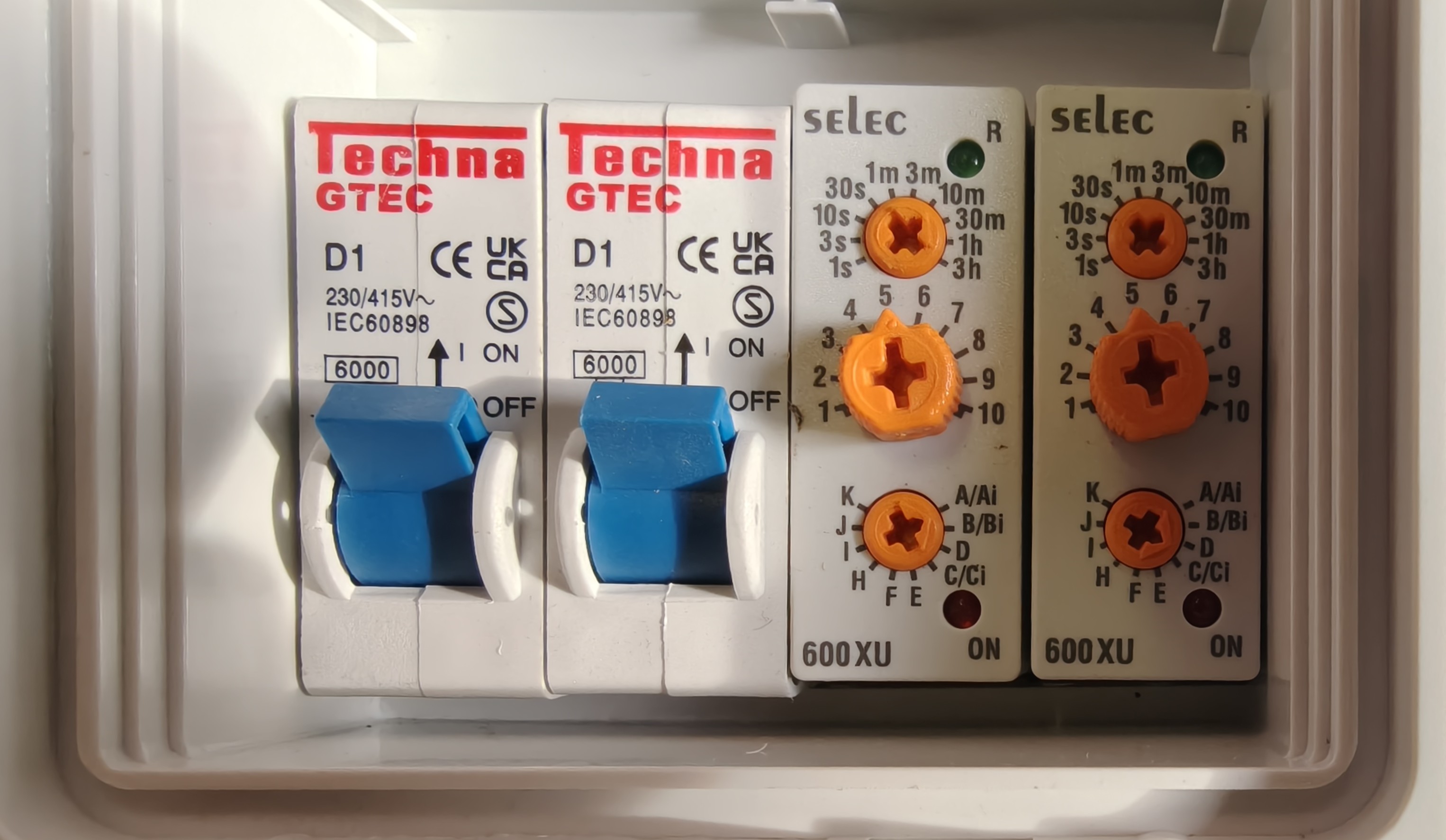
Above we can see an example of an E2000 control panel. On the left we have the 2 trip switches.
The one on the far left is for the elevator and the one on the right is for the solenoid.
If there are issues with either the elevator or the solenoid which would cause a jam or some form of feedback this switches will trip and be in the down position. Resetting them up will allow power back to the linked item. But investigate the attached item first to make sure nothing visually obvious is causing a blockage.
The left hand timer is how long the machine will wash for once this completes it will then pass power through to the 2nd timer which will time how long the exit get is open for and how long the elevator will run for.
The bottom dials should always be set to the same. A/Ai on the left and D on the right.
The top 2 dials can be changed by the user for what ever their needs.
The top dial is the Max time selection. IE on the photo the left one shows 10m (10 minutes) for wash the balls for.
The 2nd dial is a decimal point of the first. IE 5 would be 0.5 or 50%. 8 would be 0.8 or 80% of the first dial.
In the photo above the first time is set to 10m with 5. meaning 50% of 10m. so it would wash for 5 minutes.
The second dial works the same as the first, but only starts its timer once the first one has completed its own time.
So if both where set to 10m. and then 5 on the second dial the full process would be 10 minutes long.
Was this article helpful?
That’s Great!
Thank you for your feedback
Sorry! We couldn't be helpful
Thank you for your feedback
Feedback sent
We appreciate your effort and will try to fix the article